
Connector
BECONEX CS4SAP Connector for Tungsten ControlSuite
BECONEX CS4SAP Connector for Tungsten ControlSuite Overview
SAP enjoys great popularity. It supports complex business processes ranging from procurement to logistics, production to human resources as well as finances. SAP also offers functions for managing and archiving documents efficiently in secure storage locations. However, SAP users struggle with too many steps to assign paper-based or digital documents to business objects or to existing processes. The BECONEX CS4SAP Connector offers a powerful solution to simplify document integration in SAP.
Features
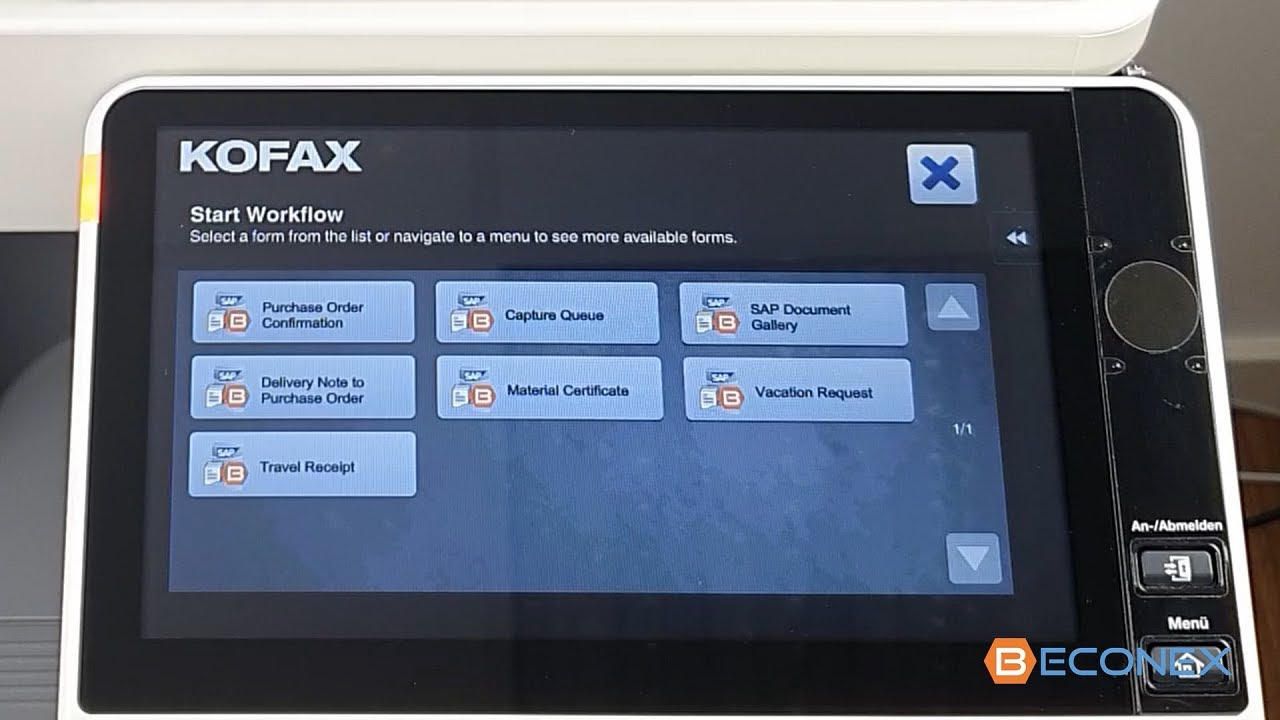
BECONEX CS4SAP provides intuitive, secure, and seamless integration of documents and information directly into the respective SAP application.
- Direct upload in SAP: you can index digital and paper-based documents with AutoStore or ControlSuite and integrate them into the desired SAP processes or objects directly from the capture device.
- Secure communication with SAP: the connector is compatible with the SNC technology, which allows you to define different security levels for your procedures.
- Compatible with all SAP modules: whether purchase orders, materials, vendors, or inspection lots, you can route documents to all business objects from the diverse modules inside SAP. Both SAP-ArchiveLink and SAP-DMS are supported by the connector.
- Interactive Search: business objects can be selected at the capture device from dropdown lists of “recently used” and user-defined “favorites”. They can also be retrieved from SAP in real time using search fields.
- Automatic routing: thanks to barcodes, documents can also be attached to business objects with a single click. This function is particularly helpful to speed up the storing of documents that belong to the same business object.
- Capture Queue entries: you can create and assign scanning tasks to colleagues or teams inside your organization to better distribute the workload among the employees who have access to relevant documents. Scanning tasks can be created either manually or automatically.
- SAP systems and connections: the connector allows can be connected to one or many SAP systems and simplifies the migration of scenarios from development to test to productive systems.
Benefits
- Efficient: digital and paper documents are allocated to an SAP process or object in no time and with less clicks, reducing the probability of allocation errors.
- Flexible: thanks to its visual interface with easy user navigation, the connector is easily adapted to the processes of your organization.
- User-friendly: documents can be uploaded to SAP by everyone –not just by “costly” SAP experts, and from virtually any device (multifunction device, smartphones, tablets, laptops, etc.)
Technical Details
Inputs
You must install a component in ControlSuite and import a transport request into the SAP System.
Outputs
We store the processed documents directly in the SAP Archive System.
Geographic Availability
Global
Additional Information
An online training is available for Partners with a Tungsten Automation Learning Cloud account: BECONEX CS4SAP Technical Training
Additional Solutions From Beconex GmbH
Created By
Products
ControlSuite
Other Products
Industry
All industries
compatibility
ControlSuite 1.4
Business Process
Customer Service
Distribution / Shipping
General / Other
Human Resources
Information Technology
Inventory Management
Legal
Production
Purchasing
Research & Development
Supply Chain Management
Last Updated
March 26, 2024
Consulting Required
Yes
Support Available
Yes
Pricing
Contact for Pricing


