
Script / Code Free
Teams Chat UI for TotalAgility Agents
Teams Chat UI for TotalAgility Agents Overview
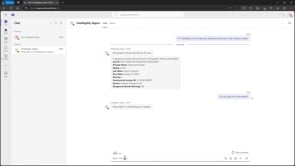
This sample Teams application illustrates connecting to TotalAgility Agents or Custom LLMs using REST APIs.
It provides a lightweight MS Teams / Bot Framework UI to front a TotalAgility Automation Agent, proxying user interactions via Teams to the Agent running in TotalAgility, then displaying the Agent's responses.
Agents or Custom LLM processes in TotalAgility are synchronous AI powered automation process built with the TotalAgility low code designer.
Built using the Azure Bot Framework.
Features
- Interact with TotalAgility Agents or Custom LLM processes from 3rd party chat applications like Microsoft Teams
- Alternative chat UI to TotalAgility's built in "Generative AI Chat Control"
- Sample / Open Source implementation that can be extended as needed
- Leverage the full power of the TotalAgility automation platform using real time chat and autonomous AI Agents
Benefits
Provides the ability to interact with TotalAgility AI Agents from Mircosoft Teams or other messaging channels supported by the Azure Bot Framework (e.g. webchat, Messenger, Alexa, WhatsApp etc.).
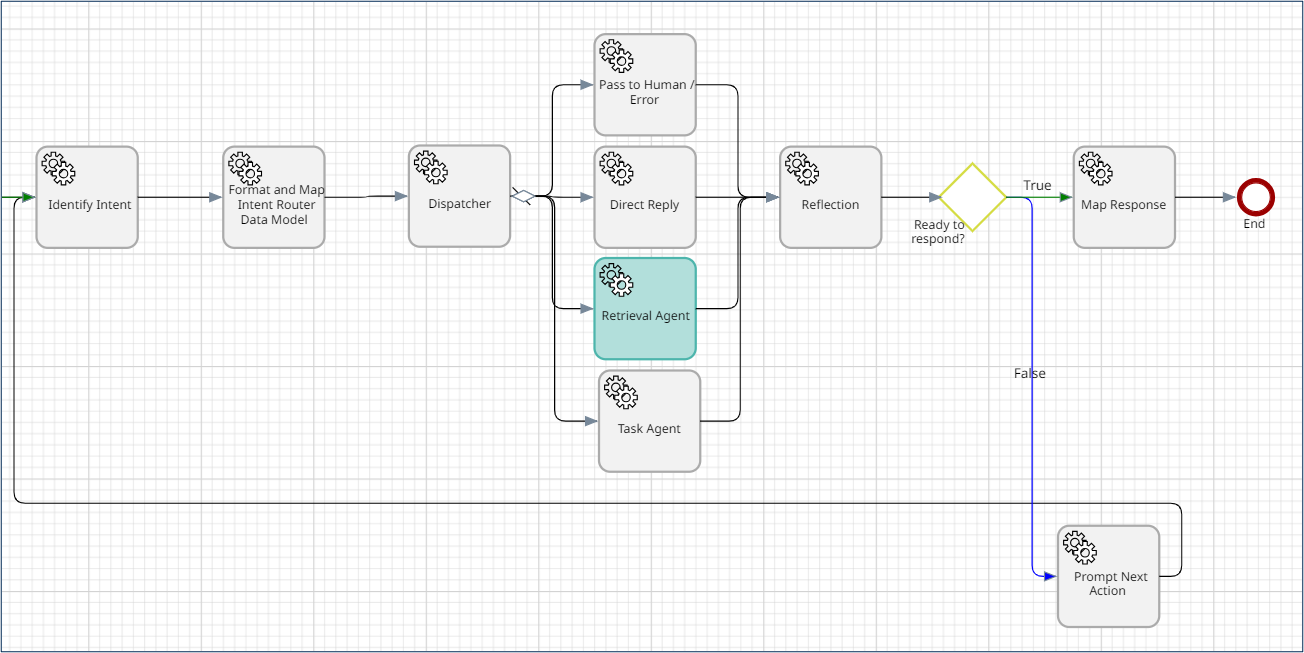
AI Agents can be retrieval agents for finding information, task agents for completing activities using available tools (API calls, RPA bots, IDP services, initiating other workflows or cases etc.), or can be managing agents that delegate to worker agents based on the user's request or intent.
Technical Details
Inputs
Text prompts / chat.
Outputs
Chat responses formatted as HTML, MD or Data (as defined by the implementation of the connected AI Agent).
Geographic Availability
Global
Additional Information
Additional Solutions From Tungsten Automation Professional Services
Created By
Products
TotalAgility
Industry
All industries
compatibility
TotalAgility 8.0, TotalAgility 8.1+
Business Process
General / Other
Last Updated
January 15, 2025
Consulting Required
No
Support Available
Yes
Pricing
Free



