
Xerox DocuShare Export Connector
 Download
 Xerox DocuShare Export Connector Overview

Features
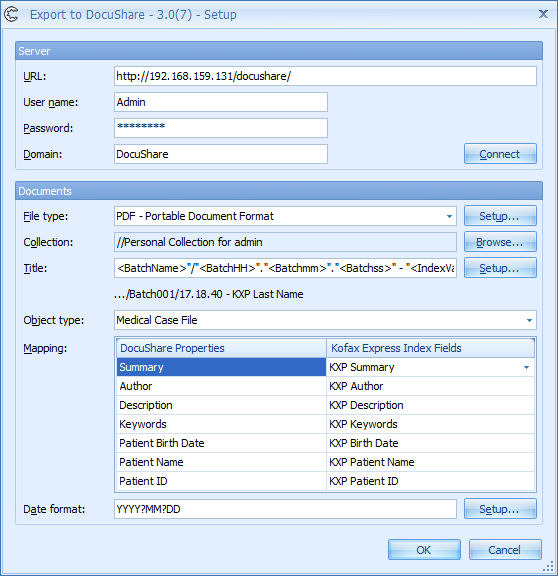
- Test connection with DocuShare server directly from the setup panel
- Export in TIFF, PDF, PDF/A, Searchable and/or Super Compressed PDF format
- Browse to a DocuShare collection to define which collection to export documents to
- Build up a path and title with Express index fields, system values (export date, time, document number, etc.) or fixed values
- DocuShare standard properties: Author, Summary, Description and
- Keywords can be mapped with Express index fields.
- Documents can be uploaded as a custom object type (also known as custom document type).
- Custom object type properties can be mapped with Express index fields
Benefits
Xerox DocuShare features document management, collaboration, review and approval.
When combined with Express and the CaptureBites™ DocuShare export connector, DocuShare provides a complete end-to-end document management solution.
Technical Details
Inputs
Scan documents with Express
Outputs
Manage your scanned documents and data with Xerox DocuShare.
Geographic Availability
Additional Information
IMPORTANT: The CaptureBites DocuShare Export connector requires the DocuShare client to be installed.
Most of our products work in demo mode when they are not activated. In demo mode, a demo seal will be stamped in all exported images.
If you want to use the product in full production mode without these demo stamps, you can request a trial license.



