
MetaTool
 Download
 MetaTool Overview

Features
- Automatic indexing with OCR
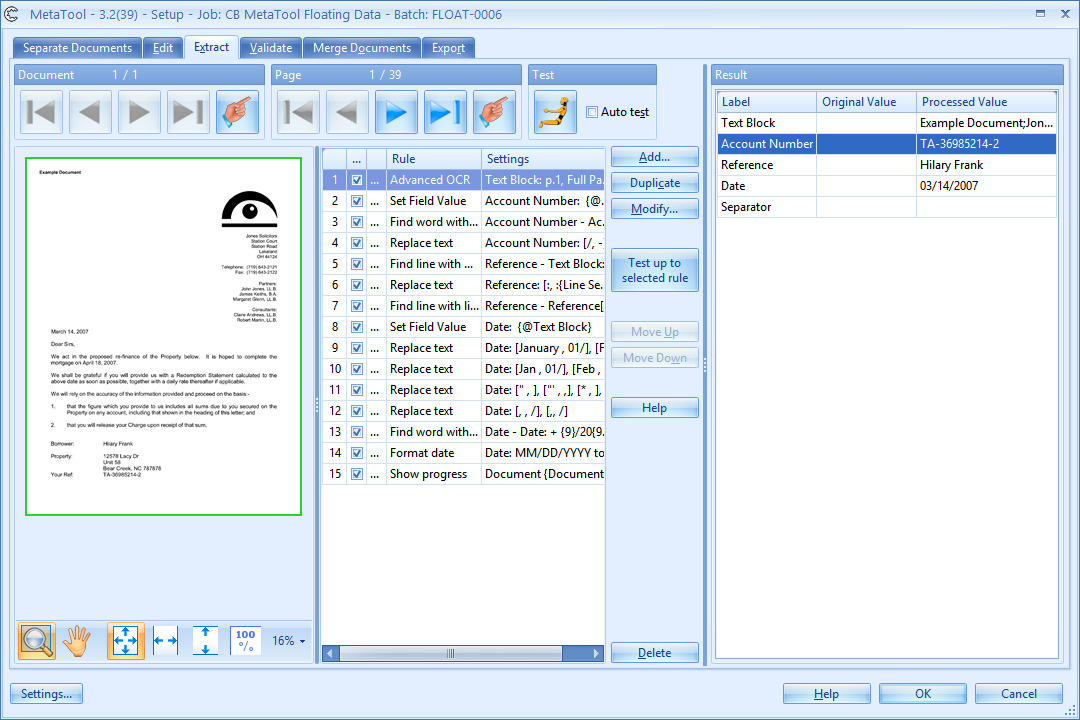
- Extract floating data
- Signature & Mark Detection
- Reformat index data
- High speed data validation and Rubber Band OCR
- Database lookup
- Document separation using keywords
- Merge documents with the same index field
- High speed image editing, cleanup & redaction
- Clip a portion of an image and save it as a separate image
Benefits
Instead of one complex setup screen with hundreds of options, CaptureBites™ MetaTool is based on a range of easy to understand rules such as “Extract Zone with OCR”, “Find line containing Words”, “Replace Text”, “Format Date”, etc.
Testing the rules is just one click away. You can try your rules on any image in your current Express batch using the viewer integrated in the MetaTool setup screen. With MetaTool, you can tune Express to your very specific needs without scripting or a single line of code. It’s customization without the disadvantages and cost of custom development. With custom development, you need expensive interventions for every change, but with MetaTool, changing or adding rules is a matter of tuning the setup yourself.
Technical Details
Inputs
Scan documents with Express.
Outputs
MetaTool passes through extracted data and processed images to an export destination of choice
It can also be combined with any other CaptureBites Express export connector.
Geographic Availability
Additional Information
Most of our products work in demo mode when they are not activated. In demo mode, a demo seal will be stamped in all exported images.
If you want to use the product in full production mode without these demo stamps, you can request a trial license.



