
Folder Export Connector
 Download
 Folder Export Connector Overview
Features
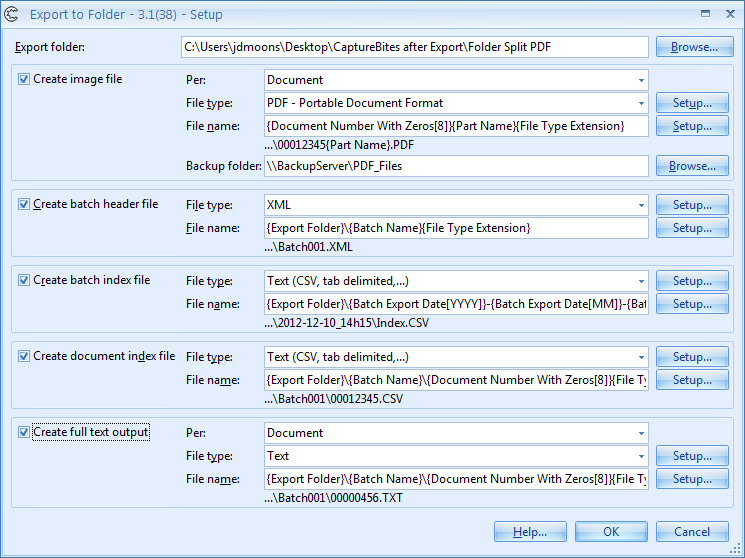
- Generate full text output in standard txt format for each scanned page.
- Create bookmarked PDF files, configure PDF passwords, split PDF files to a defined maximum size and set specific PDF properties.
- Output searchable PDF or PDF/A
- If your back-end system only works with a specific kind of CSV or XML import file, you can make use of the custom XML / CSV setup and configure any index format you desire.
- While exporting to a destination of choice, you can also generate a backup of all your document files to an external drive or backup server. All this during a single export.
Benefits
Export your processed documents to a folder structure of choice.
You can use fixed values, fields and metadata to name your files and folders. You can also create custom index files (CSV, XML, TXT,…) containing index field values and metadata of the processed documents, customize your PDF format, bookmarks and compression.
Technical Details
Inputs
Scan or import documents with Express.
Outputs
Export documents and or index files to the specified folder(s).
Geographic Availability
Additional Information
Most of our products work in demo mode when they are not activated. In demo mode, a demo seal will be stamped in all exported images.
If you want to use the product in full production mode without these demo stamps, you can request a trial license.



