
Database Export Connector
 Download
 Database Export Connector Overview

Features
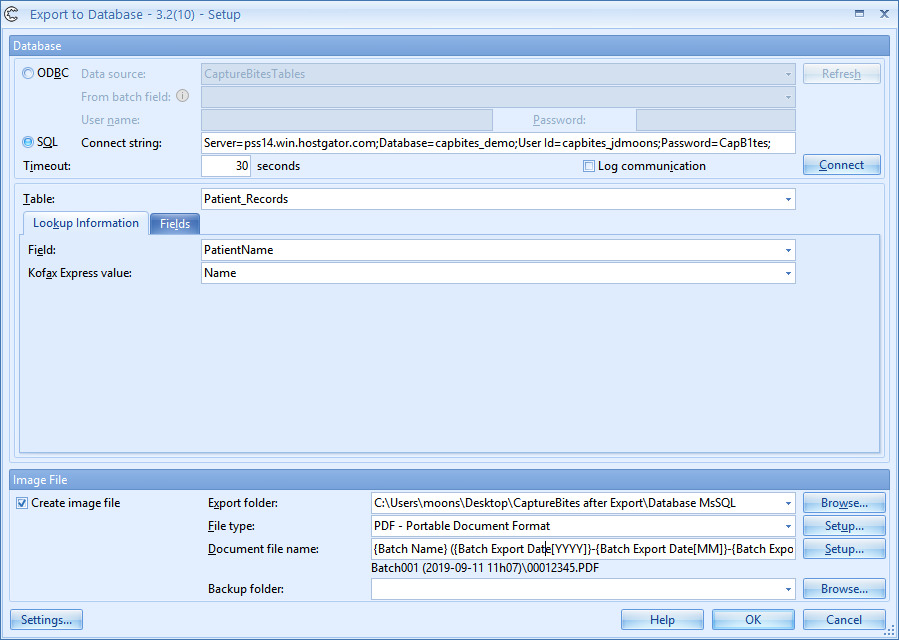
- Connect to any database for which you have an ODBC driver available or connect directly to a SQL database through a connection string.
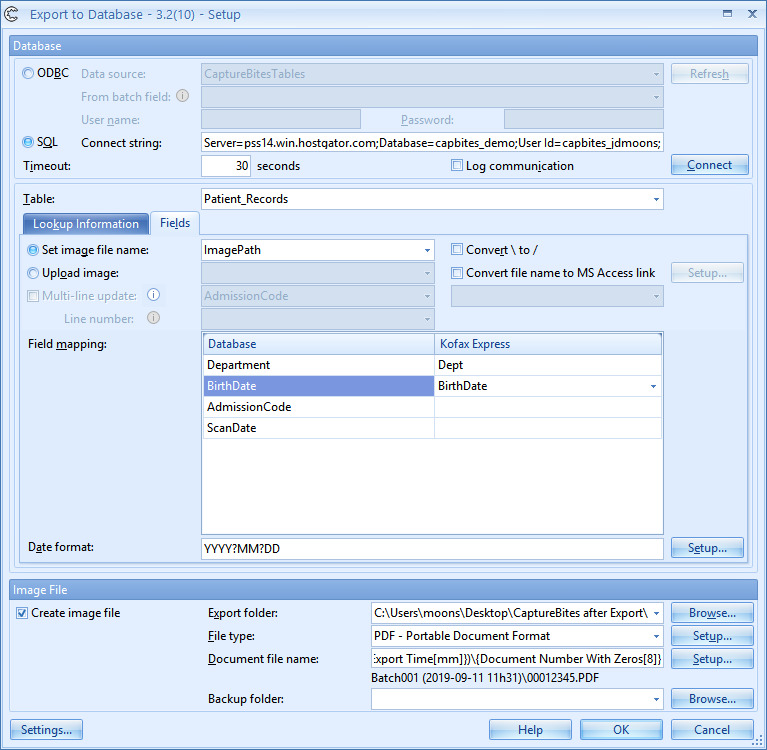
- Update tables in your connected database and map database fields with Express index fields. You can always add records or lookup and update existing records through an index field.
- Store documents as TIF, PDF or PDF/A on a file server and configure folder structure and file naming as desired.
- Construct the folder and file structure by using fixed values, system values like date and time and Express index values.
- Store the document image path in a database field of choice or create direct hyperlinks to your PDF files in your Microsoft Access database. A single click on the link in the MS Access table will open the PDF file in the PDF viewer.
- With a direct SQL connection, you can also store the TIF or PDF document files directly in a BLOB field.
- Use Express fields containing multiple values. For example, a single document containing multiple bar code values can be used to update the database multiple times. Each value will generate a new record in the database pointing to the document image.
Benefits
The most straightforward way of image enabling a business process is by adding a reference to a scanned document to an existing database. This could be a Microsoft SQL patient database, An Oracle 11g employee database, Sybase manufactured goods database, etc.
For a small business or department, it could be a customer or supplier MS-Access database.
As long as you can connect to the database through an ODBC data source, it is possible to update your database with the CaptureBites™ Database export connector.
You can also directly connect through an SQL Connection string with a Microsoft SQL Database and make use of BLOB fields to upload images.
Technical Details
Inputs
Scan documents with Express
Outputs
Manage your scanned documents and data in a database connected through ODBC or SQL.
Geographic Availability
Additional Information
Most of our products work in demo mode when they are not activated. In demo mode, a demo seal will be stamped in all exported images.
If you want to use the product in full production mode without these demo stamps, you can request a trial license.



